
Repair Coach AI:Easy Fix Guide
AykonuTools
3.823.00 Reviews
- Version
- 1.0.5
- Installs
- 500.00K
- Age Rating
- Everyone
Screenshots

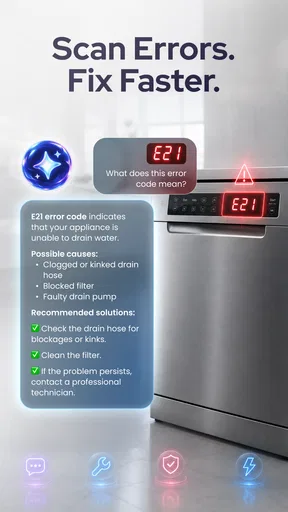






Our Review of Repair Coach AI:Easy Fix Guide
 Analysis by Appyee
When something breaks at home, the hardest part is often not the repair itself but knowing where to begin. Repair Coach AI:Easy Fix Guide is a free tools app from Aykonu that focuses on one useful promise: turning a repair problem into step-by-step guidance that feels easier to follow. I approached it as I would any practical helper on my phone—not as a replacement for a trained technician, but as a way to slow down, identify the task, and avoid blindly trying random fixes.
When a repair depends on a connection
Because the app’s central purpose is to provide repair coaching, I would plan to use it where I can get a dependable connection, especially when I need to look up guidance or refine a description of a fault. A network interruption at the wrong moment could make phone-based help less convenient than a manual already saved on the device or a printed checklist. Before starting work, I would read the relevant instructions and make sure I can return to them without needing to pause halfway through a delicate step.
This is a small but useful distinction: the app is best treated as a source of guidance to consult, not as the only thing standing between me and a repair. If I am troubleshooting beside a router, in a basement, or outside the house, I would first check that the phone can reach the service. If it cannot, I would postpone the lookup or switch to a resource I already have available rather than improvise from memory.
The app’s central capability is its repair coaching. Instead of expecting you to already understand tools, parts, or technical vocabulary, it aims to guide you through a problem in a more approachable order. That matters when you are looking at a loose fitting, a household item that no longer works properly, or a small maintenance job that seems intimidating. The real value is not simply receiving an answer; it is having a sequence to follow when you would otherwise search through scattered videos and forum posts.
I found that this makes the app most interesting as a step-by-step repair guide. It is designed for people who want practical direction before deciding whether a job is manageable. The experience is less about becoming an expert instantly and more about making the first few decisions with greater confidence.
How the repair coaching feels in everyday use
The most important thing to understand is that a guided repair process only helps when the problem is described clearly. I would begin by identifying the object, the symptom, and what changed before the issue appeared. “It does not work” is usually too vague for any troubleshooting tool. A better description includes what the item normally does, what it is doing now, and whether there are visible signs such as looseness, noise, heat, leakage, or damage.
That habit is one of the app’s practical lessons, even before the repair steps begin. By forcing myself to define the symptom, I could separate a simple adjustment from a possible failure that deserved professional attention. This is a useful distinction because many repair mistakes happen when people start disassembling something before understanding the fault.
Once the guidance is available, I would treat each instruction as a checkpoint rather than rushing through the whole sequence. A good workflow is to gather the suggested tools first, clear a small work area, and take a photograph of cable positions, screws, or removable parts before touching anything. These actions are not glamorous, but they reduce the chance of creating a second problem while solving the first.
Another helpful approach is to stop after every major step and test only what the instruction asks you to test. If an item begins working again, there is no advantage in continuing to dismantle it. If the result differs from the expected outcome, that is a signal to reassess rather than forcing the next step. The app is most useful when I use its guidance as a decision path, not as permission to keep going regardless of what I see.
This is also where the app’s artificial-intelligence angle should be viewed realistically. A guided answer can organize possibilities and make technical language friendlier, but it cannot physically inspect a damaged component through the phone. I would always compare the instructions with the actual condition of the item. A cracked casing, burnt smell, exposed wiring, gas odor, or signs of water near electricity should end the experiment immediately.
A realistic home scenario
Imagine a drawer that has started sticking. A quick search might produce dozens of unrelated results: one for replacing runners, another for adjusting a cabinet, and another for repairing swollen wood. With a repair coach, I would first describe whether the drawer catches at the top, drags along one side, or refuses to close after being pulled out. That distinction changes the sensible next step.
I would then remove only what is necessary, check for an obstruction, inspect the alignment, and test the movement after each adjustment. The benefit here is not that the app magically fixes the drawer. The benefit is that it encourages a controlled sequence instead of immediately buying replacement hardware or applying excessive force. For a small household issue, that can save time, prevent damage, and make the task feel less daunting.
This kind of job also suits a phone-based guide because I can inspect the drawer, describe what I see, and step away from the screen while testing a change. I would keep the phone on a clean surface rather than carry it with greasy or dusty hands. For a repair that requires both hands, that simple setup makes following directions less awkward and reduces the temptation to rush through several instructions at once.
The same method can apply to other low-risk maintenance jobs: define the symptom, check the simplest cause first, make one change, and test the result. This is a more valuable habit than memorizing isolated repair tricks. It also helps me recognize when the repair is outside my comfort level.
Where it is stronger than ordinary searching
Traditional web searches are excellent when I already know the exact name of a part or failure. They are less convenient when I only know that something is behaving strangely. Search results often mix different models, different levels of difficulty, and different safety assumptions. A video may look convincing while quietly relying on tools or experience I do not have.
Repair Coach AI:Easy Fix Guide is better suited to the uncertain starting point. Its appeal is the attempt to translate a vague problem into an ordered process. That can be especially helpful for beginners who become overwhelmed by long tutorials or conflicting advice. Instead of jumping between several pages, I can use one guided line of thought and decide whether the suggested work is within my ability.
It is not automatically better than a manufacturer manual, however. If a device is under warranty, safety-critical, expensive, or model-specific, the official documentation should take priority. A manual may contain exact diagrams, approved replacement parts, and warnings that a general coaching experience cannot match. For electrical appliances, vehicles, heating equipment, structural repairs, or anything involving gas, I would choose a qualified professional over experimenting with phone-based advice.
Small habits that make the guidance more useful
One non-obvious advantage of using a guided repair app is that it can act as a preparation tool, not just an emergency answer. Before buying parts, I would use the instructions to identify what must be checked first. This reduces the common mistake of ordering a replacement based only on a visual guess. A part that looks worn may not be the actual cause of the failure.
I would also keep a simple repair note outside the app: the symptom, the step where the result changed, and any measurements or observations that matter. If I need help from a technician later, that record gives them a clearer starting point. In practice, an unsuccessful guided attempt can still be useful if it produces better information rather than additional damage.
A third useful tactic is to treat the first session as diagnosis only. If the task involves opening a device or removing a complicated assembly, I would read through the sequence, collect basic tools, and stop before committing to the repair. This reveals whether the job requires a level of precision, strength, or specialist equipment that makes a professional the smarter option.
Tradeoffs, limits, and the people who benefit most
The main tradeoff is convenience versus certainty. A guided explanation is quicker and less intimidating than researching from scratch, but convenience can encourage overconfidence. The app can help me understand a likely route; it cannot guarantee that the diagnosis is correct or that every object has been made safely accessible.
Connectivity is part of that tradeoff. When I can consult the guide at the point of need, the app may be more convenient than juggling several search results. When reception is weak or I am trying to avoid using a connection in a work area, a paper manual or information prepared in advance may be easier. I would make the plan before loosening anything, so a connection problem does not become a reason to guess at the next step.
There is also a difference between a simple adjustment and a true part failure. If tightening, cleaning, aligning, or resetting solves the issue, a coaching app can be a sensible first stop. If the problem involves hidden damage, intermittent faults, unusual construction, or a device that must be calibrated, the guidance may only take me to the point where expert inspection is needed.
Because the app is free to install, it is easy to try without committing to an upfront purchase. The listing also includes optional in-app purchases ranging from $4.99 to $29.99 per item, so I would pay attention to what is available before assuming every part of the experience costs nothing. That matters for someone looking for a completely free reference tool rather than a free entry point with optional upgrades.
The app is rated for Everyone, which makes its general positioning approachable, but an age rating should never be confused with a safety approval for every repair. A child or inexperienced user should not handle sharp tools, mains electricity, chemicals, pressurized systems, or heavy objects simply because the app is broadly suitable for all ages.
On the technical side, the current version is 1.0.5 and it works on Android devices running version 7.0 or later. That gives it a reasonably broad reach for people using older phones, although I would still keep the device updated and make sure the screen is readable in the work area. A repair guide is frustrating if I have to keep touching a phone with dirty or wet hands, so I prefer reading the next step first and then putting the phone aside while working.
The app has passed the half-million-install mark and holds an average rating of 3.8 from roughly eight hundred ratings. I read that as a sign of useful but not universally perfect appeal. It is worth trying for the right kind of problem, while keeping expectations measured. The experience will depend heavily on how clearly the issue can be described and whether the repair is common and low risk.
I would recommend it most to renters, new homeowners, students, and practical beginners who want a calmer way to approach minor maintenance. It can also help someone decide whether a job is worth attempting before spending money on parts or a service call. The strongest user is not necessarily the person who repairs everything; it is the person who wants to make a sensible first assessment.
I would skip it as a primary solution if I needed exact model-specific instructions, professional certification, workshop-level diagnostics, or guaranteed repair outcomes. In those situations, a manufacturer service guide, a specialist manual, or an experienced technician is the better choice. I would also avoid using it as the sole authority for anything that could cause fire, flooding, electric shock, injury, or serious property damage.
For data-conscious use, I would keep descriptions focused on the repair rather than including personal details that have no bearing on the fault. A clear account of the object, symptoms, and visible changes is more useful than a long story, and it avoids sharing unnecessary information. If I am unsure about sending a photo or other detail, I would leave it out and describe only what is needed to assess the problem.
For me, the app’s best contribution is psychological as much as technical: it replaces the vague feeling of “something is broken” with a sequence of questions and checks. That can turn a small repair from an immediate service call into a manageable inspection, while still leaving room to stop when the evidence points to a professional.
My recommendation is therefore fairly specific. Install Repair Coach AI:Easy Fix Guide if you want an accessible starting point for ordinary, low-risk problems and you appreciate instructions arranged around a symptom rather than a technical term. Use it slowly, verify what you see, and keep safety ahead of convenience. Its real strength is helping beginners make a better first decision, not pretending that a phone can replace hands-on expertise.
Verdict
Strengths of Repair Coach AI:Easy Fix Guide
- Clear step-by-step guidance for common household repairs.
- AI assistance can help identify possible causes of a problem.
- Useful for beginners with little repair experience.
- May reduce the need for costly professional service calls.
- Instructions are convenient to access from a mobile device.
Limitations of Repair Coach AI:Easy Fix Guide
- Advice may be inaccurate for unusual or complex repair issues.
- Some repairs still require professional tools or technical skills.
- AI guidance cannot physically inspect damaged parts.
- Following instructions incorrectly could cause further damage.
- Availability and quality of features may depend on an internet connection.
Other Releases by Aykonu
View All
Cartoonify: AI Photo Editor
Art & Design5.0
Similar Picks in This Category
View All
Google LLC4.0

Gboard - the Google Keyboard
Google LLC4.5

Google Play services
Google LLC4.3

Google Play Store
Google LLC4.9

Files by Google
Google LLC4.5

SHAREit: Transfer, Share Files
Smart Media4U Technology Pte.Ltd.4.3
Frequently Asked Questions
What is Repair Coach AI: Easy Fix Guide?
Repair Coach AI: Easy Fix Guide is an assistance app designed to help users understand and troubleshoot everyday repair problems. It can provide step-by-step guidance for common household, vehicle, appliance, or device issues, depending on the information you enter. The app is best viewed as a practical starting point for diagnosis and basic fixes, rather than a replacement for a qualified technician or professional repair service.
How does Repair Coach AI: Easy Fix Guide provide repair instructions?
The app generally works by asking you to describe the problem, identify the item involved, and sometimes provide additional details such as symptoms, error messages, or photos. Based on that information, it generates suggested checks and repair steps in an easy-to-follow format. The quality of the advice depends heavily on how accurately and completely you explain the issue, so include as much relevant information as possible.
Can Repair Coach AI: Easy Fix Guide safely handle electrical, mechanical, or major repairs?
It may offer useful general guidance for certain electrical, mechanical, plumbing, or appliance problems, but users should be cautious with any repair involving electricity, gas, high voltage, pressurized systems, moving machinery, structural damage, or safety equipment. AI-generated instructions can be incomplete or unsuitable for a specific model. Always disconnect power when appropriate, follow official manuals, and contact a qualified professional when a repair presents meaningful risk.
Is Repair Coach AI: Easy Fix Guide free to download and use?
The app may be available to download without an upfront charge, but the exact features, usage limits, advertisements, subscriptions, or in-app purchases can vary by platform and app version. Before starting a repair session, review the listing and the payment terms shown in the Google Play Store or Apple App Store. Pay particular attention to free trials, automatic renewal, and premium access requirements.
What information should I prepare before using Repair Coach AI: Easy Fix Guide?
For more accurate and useful suggestions, prepare the product or equipment name, model number, age, visible symptoms, recent changes, error codes, and any steps you have already tried. Clear photos may also help if the app supports image input. Avoid sharing unnecessary personal information, payment details, or sensitive documents. If the issue involves dangerous conditions, stop using the equipment and seek professional assistance instead of relying only on app guidance.
